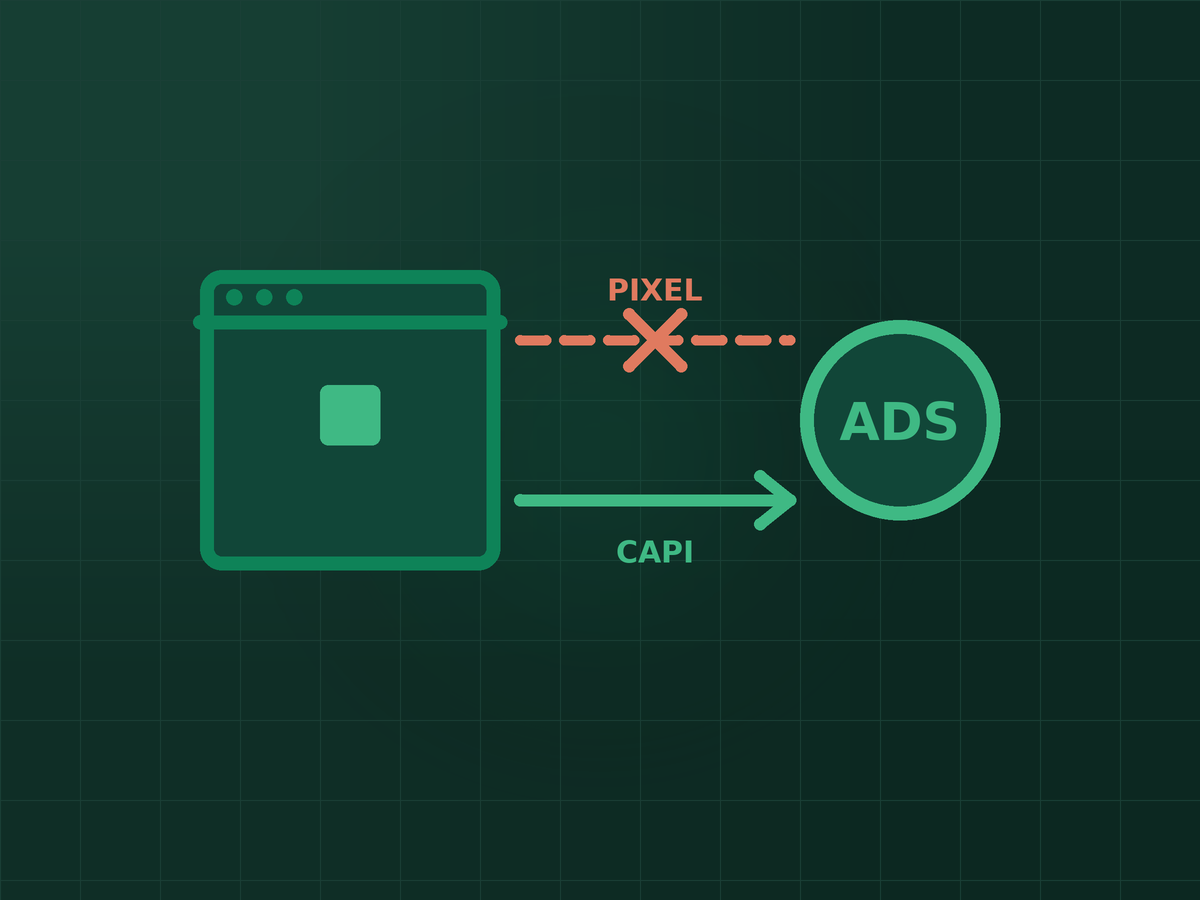
A recurring conversation with clients: Meta reports twelve purchases, the shop recorded twenty-three, and nobody can explain the gap. The instinct is to assume the platform is inflating or hiding numbers.
It is usually neither. Meta is reporting what it can actually observe, and since 2021 that has been considerably less than what happens on your site. Understanding why matters, because Meta optimises your campaigns using only the conversions it can see — so incomplete tracking does not just distort your reporting, it actively degrades your targeting.
What the Pixel does, and where it fails
The Meta Pixel is JavaScript running in the visitor’s browser. When someone views a product or completes a purchase, it fires an event and sends it to Meta, using browser storage and cookies to connect that action to a person who saw an ad.
Every part of that chain is now unreliable:
- App Tracking Transparency. Since iOS 14.5, Apple requires apps to ask permission before tracking users across other companies’ apps and sites. A large share of users decline, which removes the strongest signal Meta had.
- Browser restrictions. Safari’s Intelligent Tracking Prevention and similar features in Firefox and Brave limit third-party cookie lifetimes aggressively.
- Ad blockers. These block the Pixel script outright, so the event never fires at all.
- Network reality. A user closing the tab before the script completes produces a sale your shop records and Meta never hears about.
None of this is Meta hiding data. The events genuinely never arrive.
What the Conversions API adds
The Conversions API — usually shortened to CAPI — sends events from your server directly to Meta, rather than from the visitor’s browser.
That difference matters because a server-side event does not depend on the browser cooperating. Ad blockers cannot block it, cookie restrictions do not apply the same way, and a closed tab does not prevent it. If your server processed the order, the event can be sent.
The trade-off is setup. CAPI needs a real integration — a native one if your platform offers it, a partner integration, or a developer implementation. It is not a checkbox.
You need both, not one or the other
This is the part that trips people up. CAPI is not a replacement for the Pixel; the recommended setup is to run both and send the same events through each channel.
Which raises the obvious question: does that double-count every purchase? No — provided you implement deduplication. Each event carries a unique event_id along with its event_name. When Meta receives the same event from both the browser and the server, matching identifiers let it recognise them as one event and discard the duplicate.
Get deduplication wrong and your reporting inflates, your cost per acquisition looks better than reality, and you scale spend on numbers that are not real. This is the single most common implementation error I find in audits.
What poor tracking actually costs you
Reporting accuracy is the visible problem. The expensive problem is optimisation.
Meta’s delivery system learns from conversion events. It builds a picture of who converts and finds more people resembling them. Feed it 50% of your conversions and it learns from a smaller, non-random sample — skewed towards Android users, non-blockers, and people who did not opt out.
The results follow: weaker audience targeting, a longer and less stable learning phase, and worse ROAS that is not caused by your creative or your budget. When ads that used to perform suddenly stop, tracking is one of the causes worth checking early, alongside the others I listed in why your Facebook ads stopped working.
How to check whether yours is working
- Events Manager overview. Confirm your key events are arriving from both Browser and Server. A purchase event showing browser-only means CAPI is not live for it.
- Event Match Quality. Meta scores how well your events can be matched to people. Low scores usually mean you are not sending enough customer parameters — hashed email, phone, name, location.
- Test Events. Run a real transaction through the Test Events tool and watch it arrive. This catches deduplication failures immediately, because you will see the event land twice.
- Compare against your own numbers. Your shop or CRM is the source of truth. Meta reporting materially below it is the symptom that started this article.
- Domain verification. Verify your domain in Business Manager. Without it, event configuration is restricted and you lose control over which events are prioritised.
The realistic expectation
Even a correct implementation will not perfectly match your internal numbers, and anyone promising that is overselling. Attribution windows differ, view-through conversions exist, and cross-device journeys are genuinely hard to reconstruct.
What good tracking buys you is a materially larger and less biased sample — better optimisation, more trustworthy reporting, and decisions based on something close to reality. That is worth the setup cost, and it is worth more than another round of creative testing on a campaign that cannot see what it is optimising towards.
Key takeaways
- The browser Pixel alone now misses a large share of conversions because of ATT, cookie restrictions and ad blockers.
- The Conversions API sends events server-side, where blockers and cookie limits do not apply.
- Run both and deduplicate with a shared event_id — getting this wrong inflates your reported results.
- Incomplete tracking degrades Meta’s optimisation, not just your reporting, because it learns from a biased sample.
- Verify in Events Manager that key events arrive from both browser and server, and watch Event Match Quality.
Frequently asked questions
Do I still need the Pixel if I have the Conversions API?
Yes. Meta recommends running both. The browser Pixel captures signals the server does not have, and the redundancy improves match rates. They are complementary, not alternatives.
Will running both double-count my conversions?
Only if deduplication is not set up. Sending the same event with a matching event_id from both sources lets Meta discard the duplicate. Verify it with the Test Events tool rather than assuming it works.
Is the Conversions API hard to set up?
It depends entirely on your platform. Shopify, WooCommerce and most major carts have native or partner integrations that take under an hour. A custom-built site needs developer work to send events server-side.
Does CAPI have privacy implications I should know about?
Yes, and they deserve attention. You are sending customer data server-side, so personal identifiers must be hashed before transmission and you need a privacy policy that reflects what you collect and share. Proper consent handling is a requirement, not an optional extra.

SEO specialist and digital marketer from the Philippines. I handle SEO for the country’s biggest media and publishing brands — Vogue Philippines, MEGA, Billboard Philippines, Rolling Stone Philippines — alongside clinics, e-commerce stores, and startups. Every article here comes from real client campaigns.
Meta reporting fewer sales than you actually made?
I will audit your Pixel and Conversions API setup, check deduplication properly, and tell you how much of your conversion data is going missing.