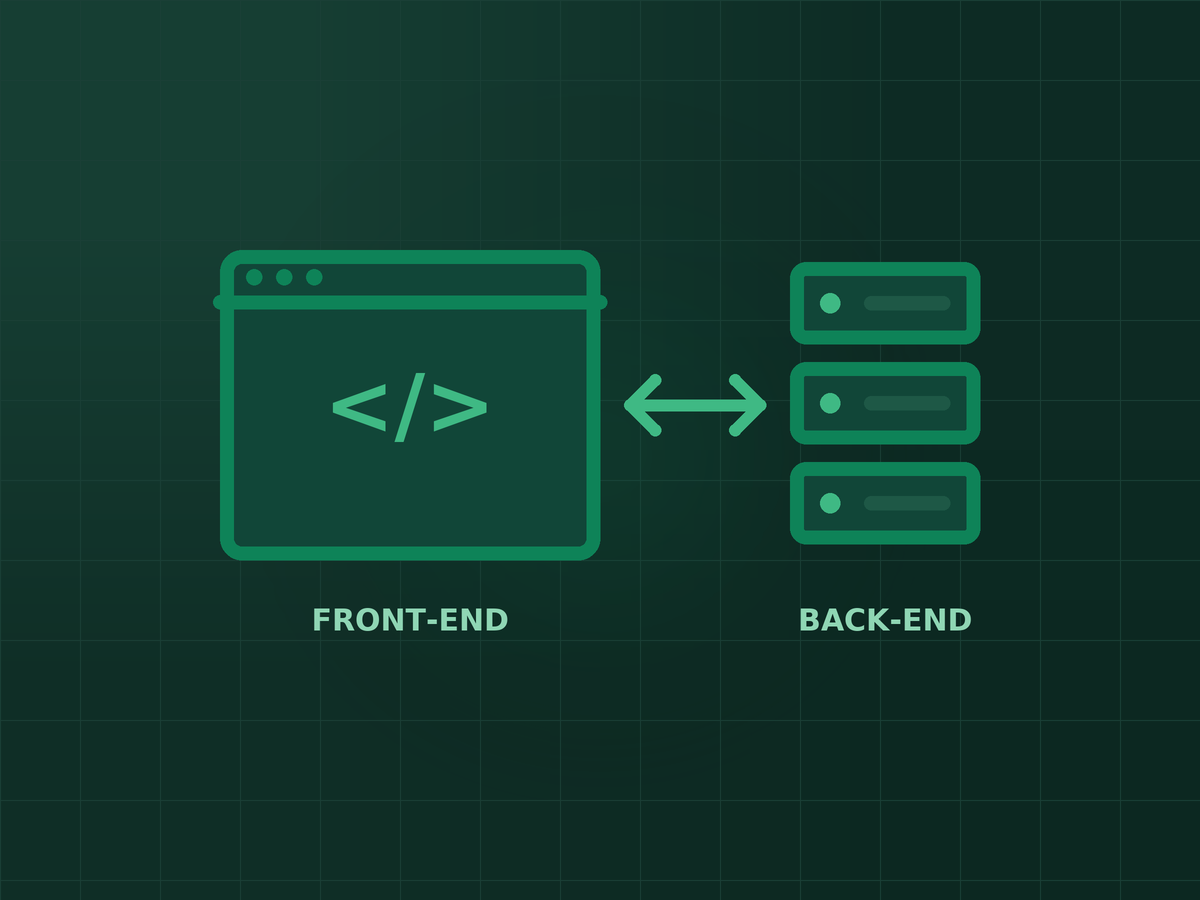
Short answer: Web development is the process of building and maintaining a website or web application — the actual construction work, covering both what visitors see (front-end) and what runs behind the scenes to make it function (back-end). It is different from web design, which focuses specifically on look and user experience.
Web development is the work of building and maintaining a website or web app — everything that makes it actually function, not just how it looks. If you have ever wondered what separates a website that merely displays a page from one that lets you log in, search, pay, or submit a form, that gap is web development.
It is a broad field, which is why the definition can feel slippery. A developer building a simple five-page brochure site and a developer building a booking system with real-time availability are both doing “web development,” even though the work looks completely different day to day.
The Three Layers: Front-End, Back-End, Full-Stack
Almost every website breaks down into two working halves, plus a role that spans both.
Front-end development is everything the visitor sees and clicks — the layout, the buttons, the animations, how a page reflows on a phone versus a laptop. It is built with HTML (structure), CSS (appearance), and JavaScript (interactivity).
Back-end development is everything happening on the server that the visitor never sees directly: processing a form submission, checking a password, pulling a product's price from a database, deciding what content to show a logged-in user versus a guest. This runs on a server-side language — PHP, Python, Node.js, and others — connected to a database.
Full-stack development means comfortably working across both layers. Most small-business websites are built by either a full-stack freelancer or a small team splitting front-end and back-end work.
Web Development vs. Web Design
This is the mix-up that causes the most confusion, including in how people search for it.
Web design is about the look and user experience — layout, colour, typography, how intuitive the navigation feels. A designer often works in a tool like Figma before a single line of code is written.
Web development is about making that design actually work as a real, functioning website — responsive across devices, fast to load, connected to whatever it needs to be connected to (a contact form, a payment processor, a booking calendar).
In practice, especially for smaller projects, one person often does both. But the distinction matters when you are hiring: a brilliant designer is not automatically someone who can build a secure, fast, working site, and vice versa.
What a Website Actually Needs Behind the Scenes
- A domain name — the address people type in, like yourbusiness.com.
- Hosting — the server your website's files actually live on and run from.
- A content management system or custom code — WordPress is the most common choice for small business sites; larger or more unusual projects sometimes get built from scratch instead. See our comparison of WordPress vs. website builders if you are deciding between the two.
- A database — where your content, products, form submissions, or user accounts are actually stored.
- An SSL certificate — the padlock in the browser bar, now a baseline requirement rather than a nice-to-have.
None of this needs to be memorised to hire well. It is useful mainly so a vague quote (“we'll build your website”) can be turned into specific questions: which CMS, whose hosting, who owns the domain, what happens to the database if you ever change developers.
What a Real Project Looks Like, Start to Finish
A typical small-business web development project runs through the same rough stages regardless of who builds it:
- Planning. What pages does the site actually need, and what is each one supposed to make a visitor do?
- Design. Layout and visual direction, usually reviewed before any building starts.
- Development. The site gets built — front-end and back-end together — on a staging environment the public cannot see yet.
- Content and testing. Real copy and images go in; forms, links, and page speed get checked properly, on both desktop and mobile.
- Launch. The site goes live on the real domain.
- Maintenance. Ongoing — updates, backups, security, and fixing anything that breaks. This part is easy to underquote and is exactly where most WordPress security problems actually originate.
That last stage is the one first-time website owners most often overlook when budgeting — a site is not a one-time purchase, it is something that needs to keep working.
Key takeaways
- Web development covers front-end (what visitors see), back-end (what runs the site), and full-stack (both).
- Web development and web design are related but different jobs — design is look and experience, development is making it actually work.
- Every website needs a domain, hosting, a CMS or custom code, a database, and an SSL certificate.
- A real project runs through planning, design, development, testing, launch, and ongoing maintenance — the last step is the one most often underbudgeted.
Frequently asked questions
Is web development the same as coding?
Coding is one part of it. Web development also includes planning site structure, working with databases and servers, testing across devices, and maintaining the site after launch — coding is the tool, not the whole job.
Do I need a developer, or can I use a website builder myself?
For a very simple site with no custom functionality, a builder like Wix or Squarespace can be enough. Once you need anything specific — bookings, payments, particular integrations, real SEO control — a developer becomes worth it. Our WordPress vs. website builders comparison goes through the trade-off in more detail.
How long does building a website actually take?
A straightforward small-business site typically runs 2 to 4 weeks from a finalised plan to launch. Anything with custom functionality — bookings, e-commerce, member logins — usually takes longer, mainly because of back-end work and testing.
What does web development cost in the Philippines?
It varies widely by scope and who builds it. See our breakdown in how much a website costs in the Philippines for realistic ranges by project type.
Does a website need ongoing work after it launches?
Yes. Software updates, security patches, and backups are ongoing, not one-time. A site left untouched for a year or two is the most common way small business sites end up compromised.

SEO specialist and digital marketer from the Philippines. I handle SEO for the country’s biggest media and publishing brands — Vogue Philippines, MEGA, Billboard Philippines, Rolling Stone Philippines — alongside clinics, e-commerce stores, and startups. Every article here comes from real client campaigns.
Ready to actually build the thing?
Whatever stage you are at — a rough idea or a detailed spec — I will tell you honestly what it takes to build it properly.